Forced Mode
The Forced Mode is mainly used in battery O&M to ensure it operates in compliance with the preset charging/discharging mode and power. Restore the system to the previous working mode after maintenance work is completed.
Function Logic
- Forced Charging: The battery charges at the preset charging power until it is fully charged.
- Forced Discharging: The battery discharges at the preset discharging power until it is fully discharged.
Procedure
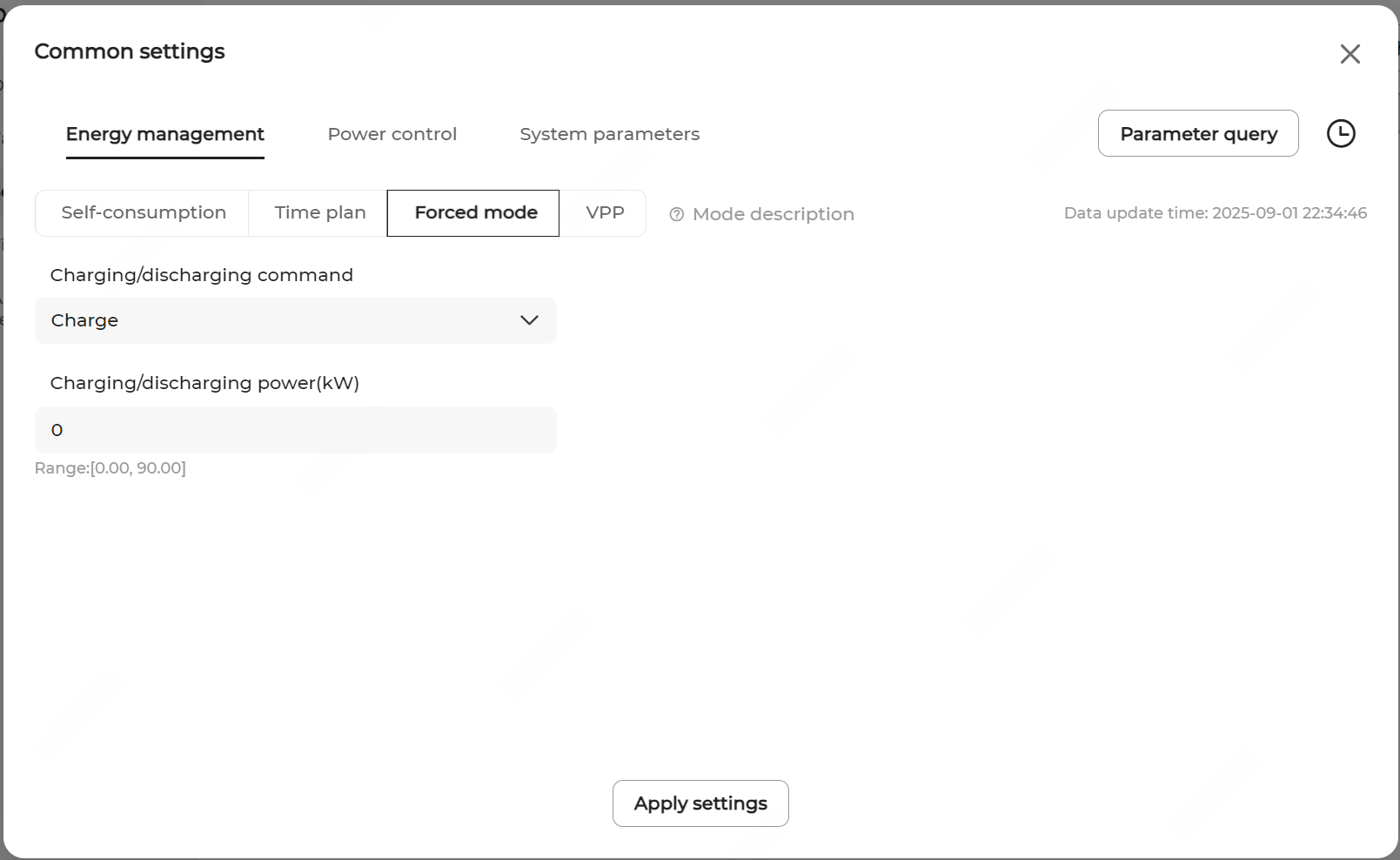
- Navigate to the Energy Management page and select the Forced Mode.
- Set the Charging/Discharging Command.
- Charge: Force the battery to charge at the preset charging power until the battery SOC upper limit is reached.
- Discharge: Force the battery to discharge at the preset discharging power until the battery SOC lower limit is reached.
- Stop: Stop battery charging or discharging.
- If Charge or Discharge is selected, set the target charging or discharging power in Charging/Discharging Power.
- Click Apply Settings.