FCAS
FCAS is used to regulate the grid connection frequency of the plant. It responds to grid frequency fluctuations according to set frequency regulation parameters to maintain system stability.
- Choose Energy management > FCAS.
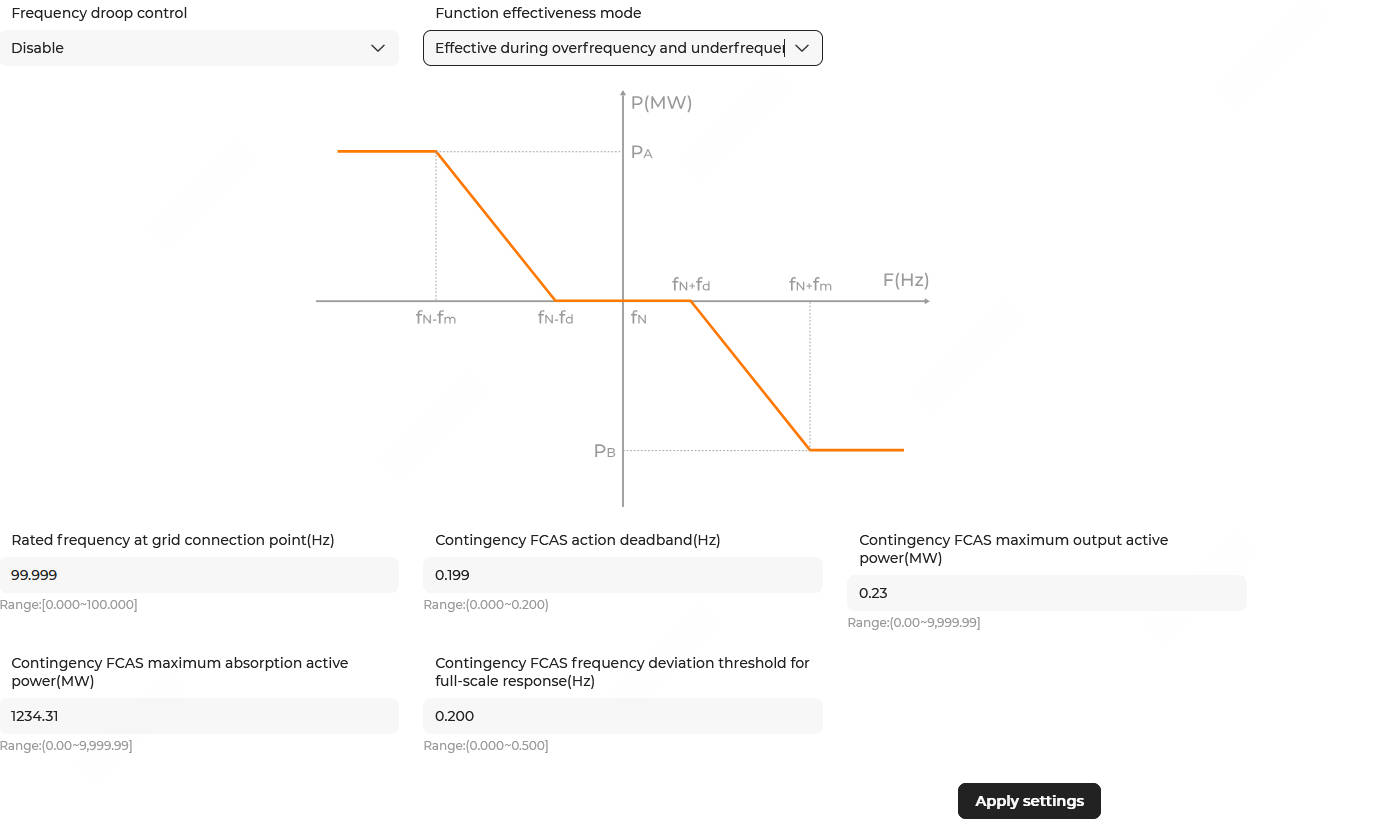
- Set Function enable/disable.
- Enable: Enable the function.
- Disable: Disable the function.
- Set the Function effectiveness mode.
- Effective during overfrequency: The function is effective only during overfrequency.
- Effective during underfrequency: The function is effective only during underfrequency.
- Effective during overfrequency and underfrequency: Default mode. The function is effective during both overfrequency and underfrequency.
Note: The firmware version of EMS300CP must be P024 or later. - Configure the frequency regulation parameters on the right. The descriptions of the parameters are shown below:
Parameter
Description
Value fN (Hz)
Rated frequency at grid connection point
Default value: 50.000. fd (Hz)
Frequency regulation deadband
Default value: 0.150. When the frequency is within the range of fN (Rated frequency at the grid connection point)±0.150, the frequency regulation strategy does not respond. PA (MW)
Max. output active power
Range: [0, 9999.99]. Default value: 50.00. Set this parameter according to actual conditions. PB (MW)
Max. active power absorbed
Range: [0, 9999.99]. Default value: 50.00. Set this parameter according to actual conditions. fm (Hz)
Frequency deviation threshold for full-scale response
The critical value that triggers the maximum power output/absorption response. Default value: 0.500. - Click Apply settings. In the pop-up window, enter the Task name, and click Confirm.