Time Plan (European Server)
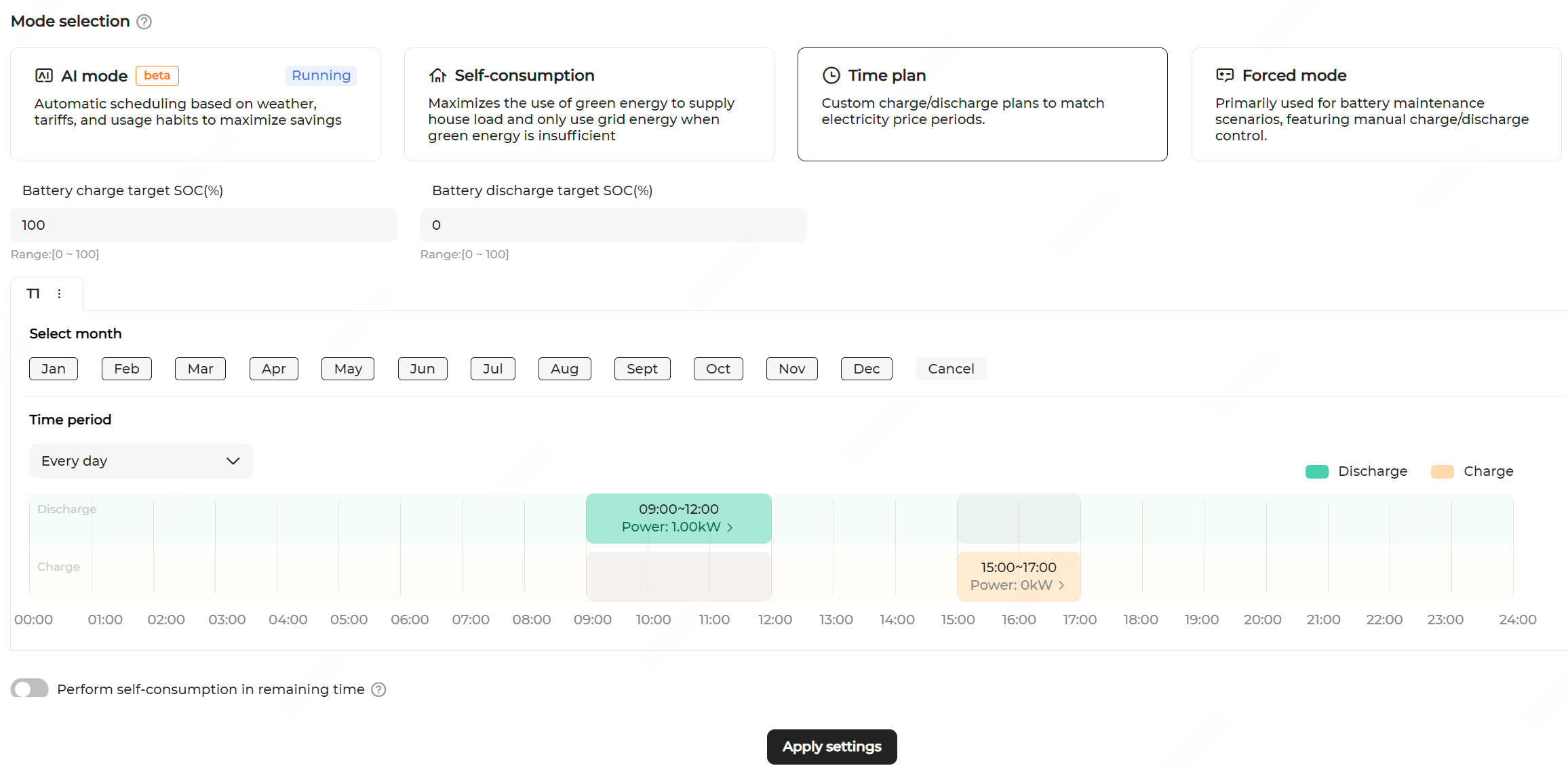
Function Logic
  • Discharging period: The battery discharges at the predefined discharging power within the set time period until the battery discharge target SOC is reached.
  • Charging period: The battery charges at the predefined charging power within the set time period. If PV power is sufficient, the battery charges until it is fully charged. If PV power is insufficient, it charges until the battery charge target SOC is reached.
  1. Navigate to the Energy management page and select the Time plan mode.
  2. Set the Battery charge target SOC (%): Charging stops when the battery reaches the target charging SOC.
  3. Set the Battery discharge target SOC (%): Discharging stops when the battery drops to the target discharging SOC.
  4. Select months for the current time period. You can set different time periods based on seasonal energy demand patterns.
    Note: You can add and delete a time plan, and modify its name.
    • To add time periods, click Add to the right of the default time plan.
    • To delete a time plan or modify its name, select it and click .
  5. Select the cycling mode of the battery charging/discharging plan.
    You can apply the charging/discharging plan to every day, or set different charging/discharging plans for weekdays and weekends.
    • Every day: The set charging/discharging plan applies to all days. This mode is ideal for scenarios where the daily electricity price is relatively consistent.
    • Weekdays & weekends: Set different charging/discharging plans for weekdays and weekends.
  6. Click a time period in the Discharge or Charge column to add a new discharging/charging period. Then, drag up and down to adjust the duration, and click the period again to complete.
    Note:
    • The charging and discharging periods cannot overlap.

    • The battery will not discharge in a time period with no settings. If the PV output is insufficient, the system purchases energy from the grid to meet the load demand, and allows the battery to charge from the excess PV energy.

  7. Click an added time period, and set Power for discharging or charging.
  8. Enable or disable Perform self-consumption in remaining time. When enabled, the system operates in the self-consumption mode outside the defined charging/discharging time periods.
  9. Click Apply settings.