FCAS
-
Click
 below Frequency response type. Select FCAS.
-
Set Function enable/disable.
- Enable: Enable the function. Proceed to subsequent configurations.
- Disable: Disable the function.
-
(Optional) Complete the secondary frequency regulation settings.
Parameter Description Secondary frequency regulation lockout Default value: Disable.
- Enable: Enable secondary frequency regulation.
- Disable: Disable secondary frequency regulation.
Lockout error of secondary frequency regulation Set this parameter when Secondary frequency regulation lockout is set to Enable. The default value is recommended. This parameter is used for coordinated control of primary and secondary frequency regulation. When the grid frequency deviation is less than the value of this parameter, secondary frequency regulation (i.e., receiving AGC commands) and primary frequency regulation will be combined, regardless of whether they are in the same or opposite directions. When the grid frequency deviation exceeds the value of this parameter, the secondary frequency regulation lockout strategy is executed, and combination will not be performed.
-
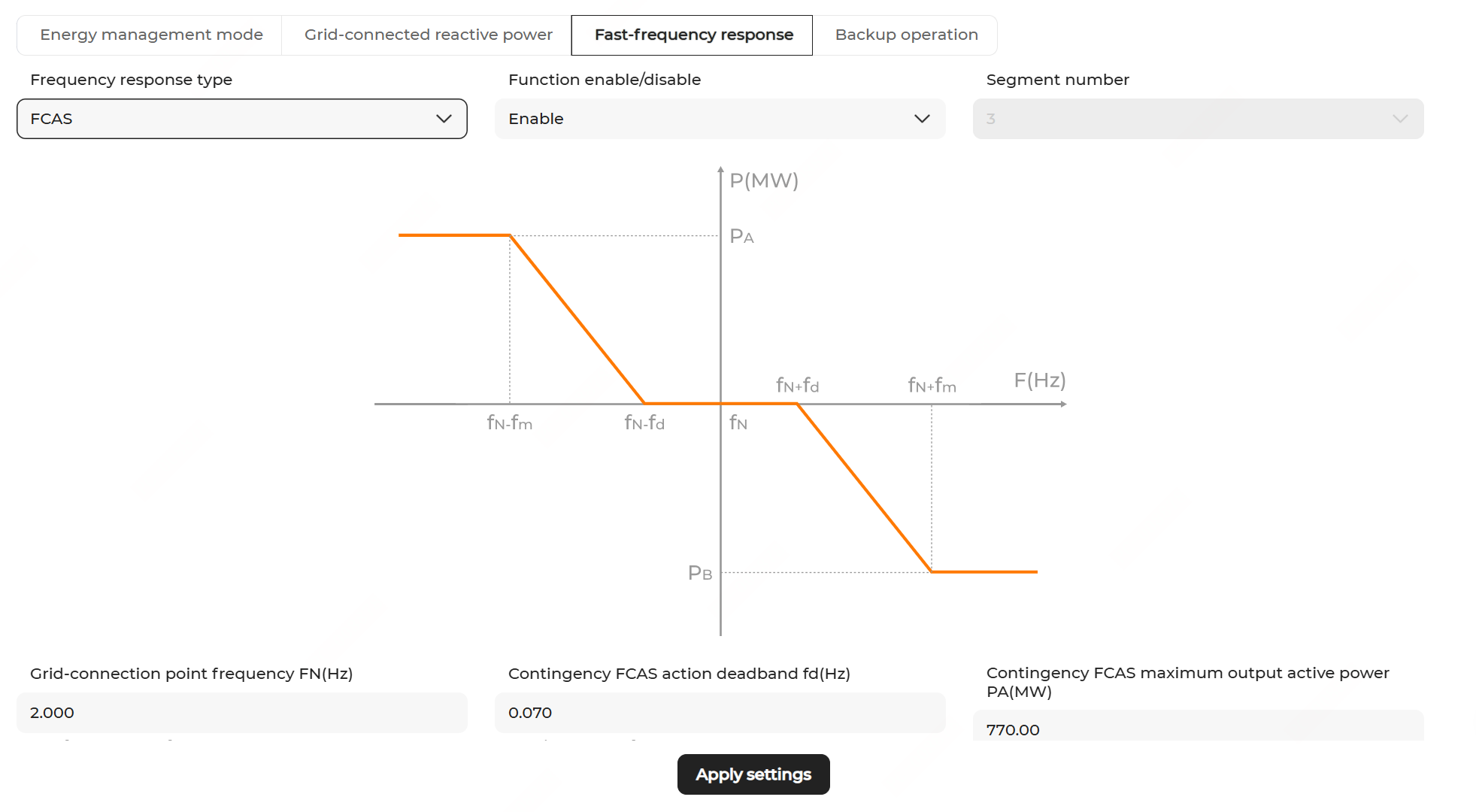
Configure the frequency regulation parameters. The descriptions of the parameters are shown below.
Parameter Description fN Rated frequency of grid-connection point fd Contingency FCAS action deadband PA Contingency FCAS maximum output active power PB Contingency FCAS maximum absorption active power fm Contingency FCAS frequency deviation threshold for full-scale response - Click Apply settings. In the pop-up window, enter the Task name, and click Confirm.