Grid-Connected Power Control
Users must first configure the energy purchase control method and feed-in control strategy for the ESS. These thresholds define the system's maximum power limits in grid-connected operation, ensuring stability and energy efficiency, and will influence the actual power control range.
- Set the following parameters.
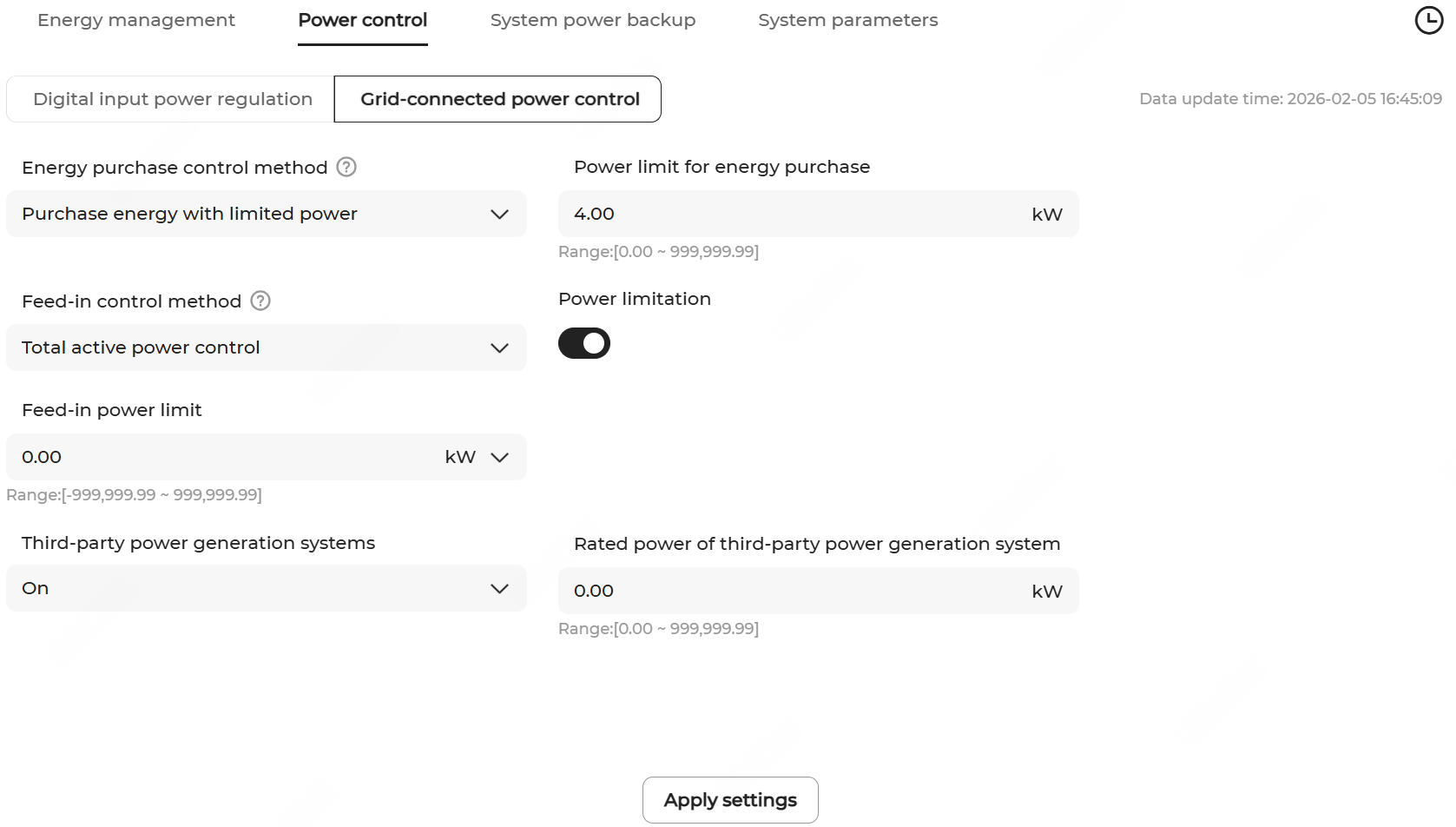
Parameter Description Energy purchase control method Available options: - No limit
- Purchase energy with limited power
Power limit for energy purchase When Purchase energy with limited power is selected, input a value here, which is generally based on the breaker capacity on the grid connection point. An exceedingly high value will cause overcurrent tripping, while an exceedingly low value will impact the startup of controllable loads, including the chargers. Feed-in control method Set one of the following feed-in power control methods and the corresponding values according to the requirements of the local grid company to prevent the system from feeding back more power than the settings. Available options: - Total active power control: The meter collects data of three phases on the grid-connected side as feedback values for power control.
- Per-phase active power control: The meter collects data of a single phase as feedback values for power control.
Power output method Set this option when the Feed-in control method is set to Per-phase active power control, and choose either of the following methods: - Three-phase balanced output: Limit the output power of each phase based on the maximum grid feed-in power among the three phases.
- Three-phase unbalanced output: Limit the output power of each phase based on its own actual grid feed-in power.
Note:- Per-phase active power control is available only when the inverter supports power feed-in per phase.
- When the option Per-phase active power control is selected, the Peak shaving mode under the Self-consumption energy management mode is disabled. If the Peak shaving mode is previously on, when you apply the settings, the mode is automatically turned off.
Power limitation Turn it on or off as needed. It is off by default. Feed-in power limit value/ratio When both of the following conditions are met, define Feed-in power limit value/ratio according to the grid requirements.
- Feed-in control method is set to:
- Total active power control
- Per-phase active power control, and Three-phase balanced output is selected as the Power output method.
- Power limitation is enabled.
- Feed-in control method is set to:
When both of the following conditions are met, define Phase A/B/C feed-in power limit value/ratio according to the grid requirements.
- Feed-in control method is set to Per-phase active power control, and Three-phase unbalanced output is selected as the Power output method.
- Power limitation is enabled.
- You can switch the unit between kW and % to define the power limit value or ratio.
- When defining the feed-in power limit ratio or phase A/B/C feed-in power limit ratio, set Feed-in power limit ratio calculation basis to Nominal power or Installed PV power. When the latter is selected, specify Total installed power of modules.Note: Feed-in power limit ratio calculation basis means that the power limit ratio is calculated based on one-third of the nominal power (total installed power).
Phase A/B/C feed-in power limit value/ratio Third-party power generation systems When you switch it on, specify Rated power of third-party power generation system. Note: If a third-party inverter is connected to the system, you can define the value based on the rated power of the inverter.