Time Plan

The Time plan mode is mainly used in electricity transaction scenarios. You can set the time windows and power for battery charging/discharging manually, according to the on- and off-peak electricity prices, to maximize the economic benefits.

It is recommended to allow the battery to discharge during on-peak hours (when electricity prices are higher) and charge during off-peak hours (when electricity prices are lower).

Function Logic

  • Discharging window: The battery discharges at the predefined discharging power within the set time period until it is fully discharged.
  • Charging window: The battery charges at the predefined charging power within the set time period until it is fully charged.
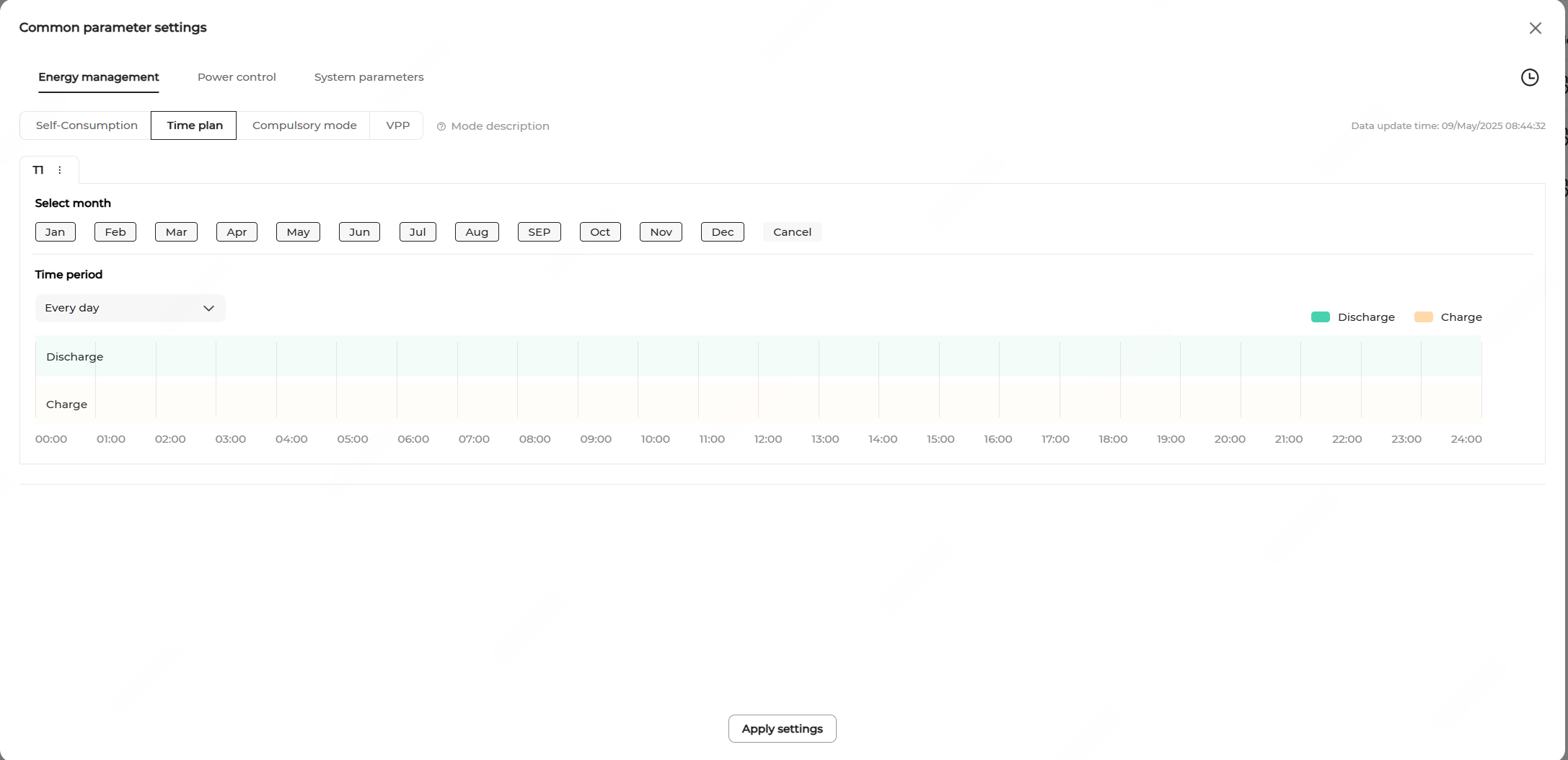
  1. Navigate to the Energy management page and select the Time plan mode.
  2. Set the desired month span. You can set different time windows based on seasonal energy demand patterns.
  3. Select the days on which the battery charging/discharging plan applies.
    You can apply the charging/discharging plan to all days, or set different charging/discharging plans for weekdays and weekends. The plan applies to every day by default.
    • Every day: The set charging/discharging plan applies on all days. This option is ideal for scenarios where the daily electricity price is relatively consistent.
    • Weekdays & weekends: Set different charging/discharging plans for weekdays and weekends.
  4. To add more month spans, click Add to the right of the default month span name.
    Note:

    Before adding a month span, you must first configure the charging and discharging time periods for the current season.

    You can select a month span and click to modify its name or delete it.

  5. Tap a time period in the Discharge or Charge time bar. A new discharging or charging window will be created (1 hour by default). Then, drag the left or right boundary of the window to adjust the length of time.
    Note:

    The charging and discharging windows cannot overlap.

    The battery will not discharge in a time period with no settings. If the PV output is insufficient, the system purchases energy from the grid to meet the load demand, and allows the battery to charge from the excess PV energy.

  6. Click a time window that has been added, set the discharging or charging power in Power.
  7. Click Apply settings.