Primary Frequency Regulation

  1. Click below Frequency response type. Select Primary frequency regulation.
  2. Set Function enable/disable and Segment number.
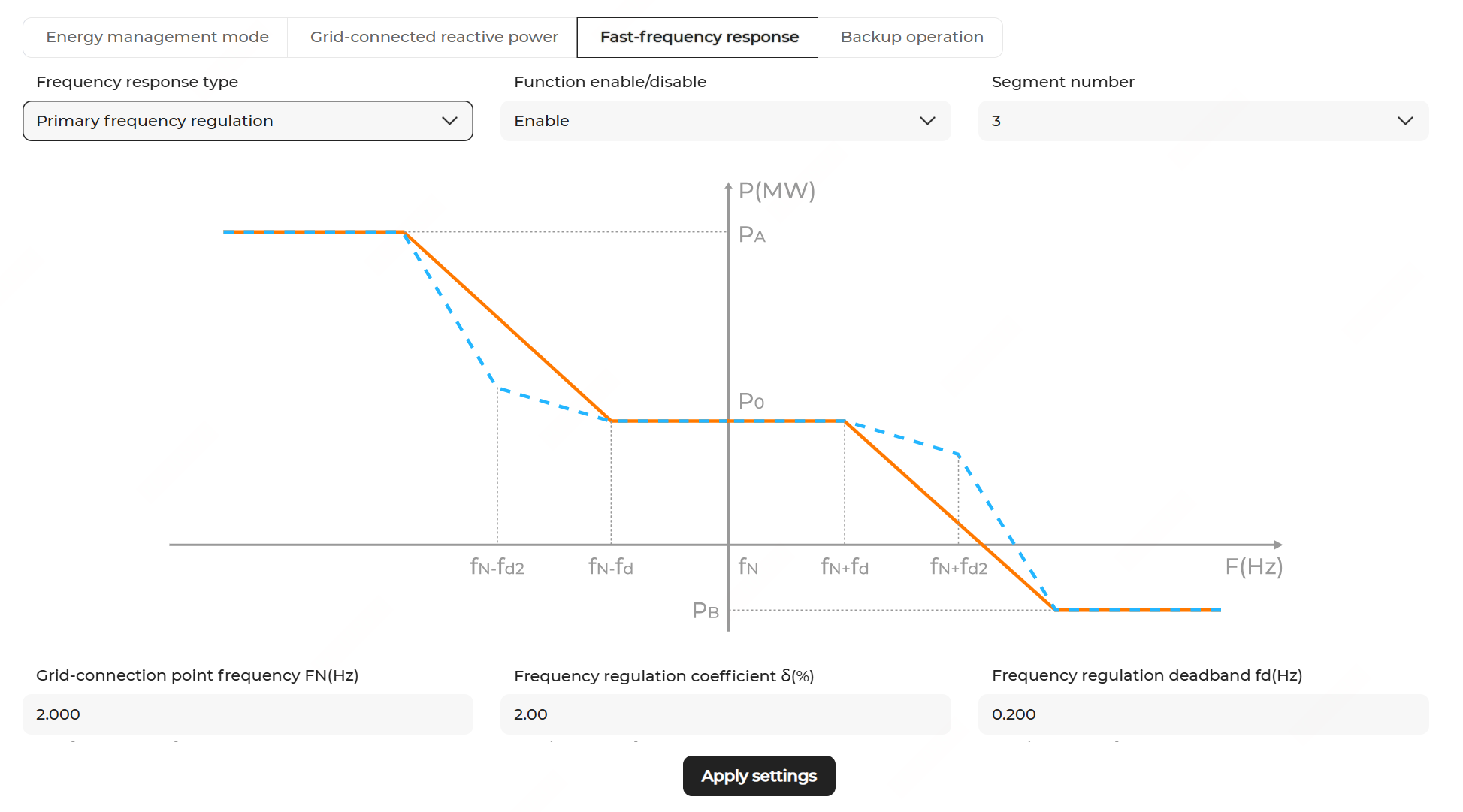
    Note:

    The figure is for reference only. The actual user interface may differ.

  3. Configure the frequency regulation parameters. The descriptions of the parameters are shown below.
    ParameterDescription
    fNRated frequency of grid-connection point
    δ%Frequency regulation coefficient (δ%=-△f(%)/△P(%))
    fdFrequency regulation dead zone
    PAMaximum output active power
    PBMaximum active power absorbed
    α1Lower limit of active power limit coefficient
    α2Upper limit of active power limit coefficient
    δ2 *Frequency regulation II regulation coefficient
    fd2 *Frequency regulation II dead zone

    *Parameters required to be set when Segment number is set to 5.

    Note: The active power limit coefficient is the absolute value of the ratio of the active power output increment limit against the rated power of energy storage.
  4. Click Apply settings. In the pop-up window, enter the Task name, and click Confirm.