AI Mode
In the AI mode, the system predicts future PV yield and household electricity use, based on the meteorological data and the user’s consumption profile. It then decides on an optimal strategy to control battery charging/discharging and electricity usage in the household, thus maximizing the clean energy usage or the revenue.
Note:
-
AI mode is supported only when the Consumption tariff type is set to Dynamic tariff or Time-of-use tariff (weekdays+weekends).
-
A certain amount of data accumulation is required for AI mode to predict future production and consumption more accurately.
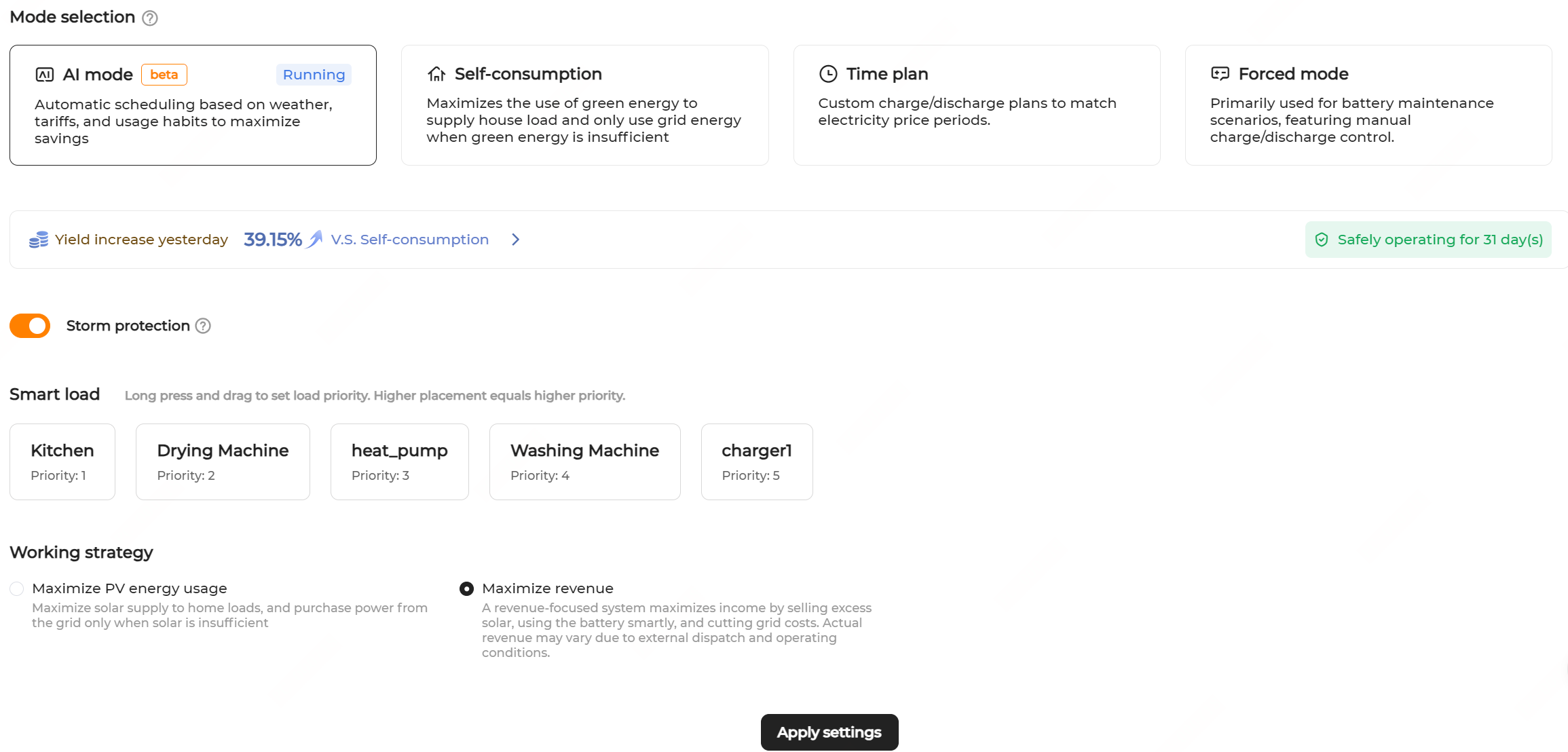
Procedure
- Navigate to the Energy management page and select the AI mode.
- Turn on or off Storm protection as needed.
- If the Storm protection is enabled, upon receiving an extreme weather alert, the system charges at maximum capacity until reaching the SOC upper limit, ignoring all the preset restrictions. When the extreme weather ends, the system will restore to the previous working mode.
- If the function is disabled, the system will work as per the set working strategy.
- Set the priority for the smart loads. Hold and drag the load to adjust the load priority. The closer to the front, the higher the priority.
- Set Working strategy to Maximize revenue or Maximize PV energy usage.
- Maximizing PV energy usage is to optimize the PV energy to power household loads, only purchasing energy from the grid when PV energy is insufficient.
- Maximizing revenue is to achieve optimal revenue by selling the excess power, optimizing energy storage, and reducing the electricity costs.
- The current page allows you to view data, including yield today and curves about energy use, tariff, and battery working strategies. Click Tomorrow to view the energy use forecast curve for tomorrow.
- Click Apply settings.