Charging Management
Procedure
- In the Common settings window, click the Charging management tab to set the charging mode and related parameters. Modes include:
- ECO & economic charging
The PV power will be first used for the loads, with any surplus supplied to the EV charger. If the surplus falls below the charger's minimum charging power, the system will either ensure the minimum charging power for the charger or stop charging, depending on whether drawing power from the grid is allowed.
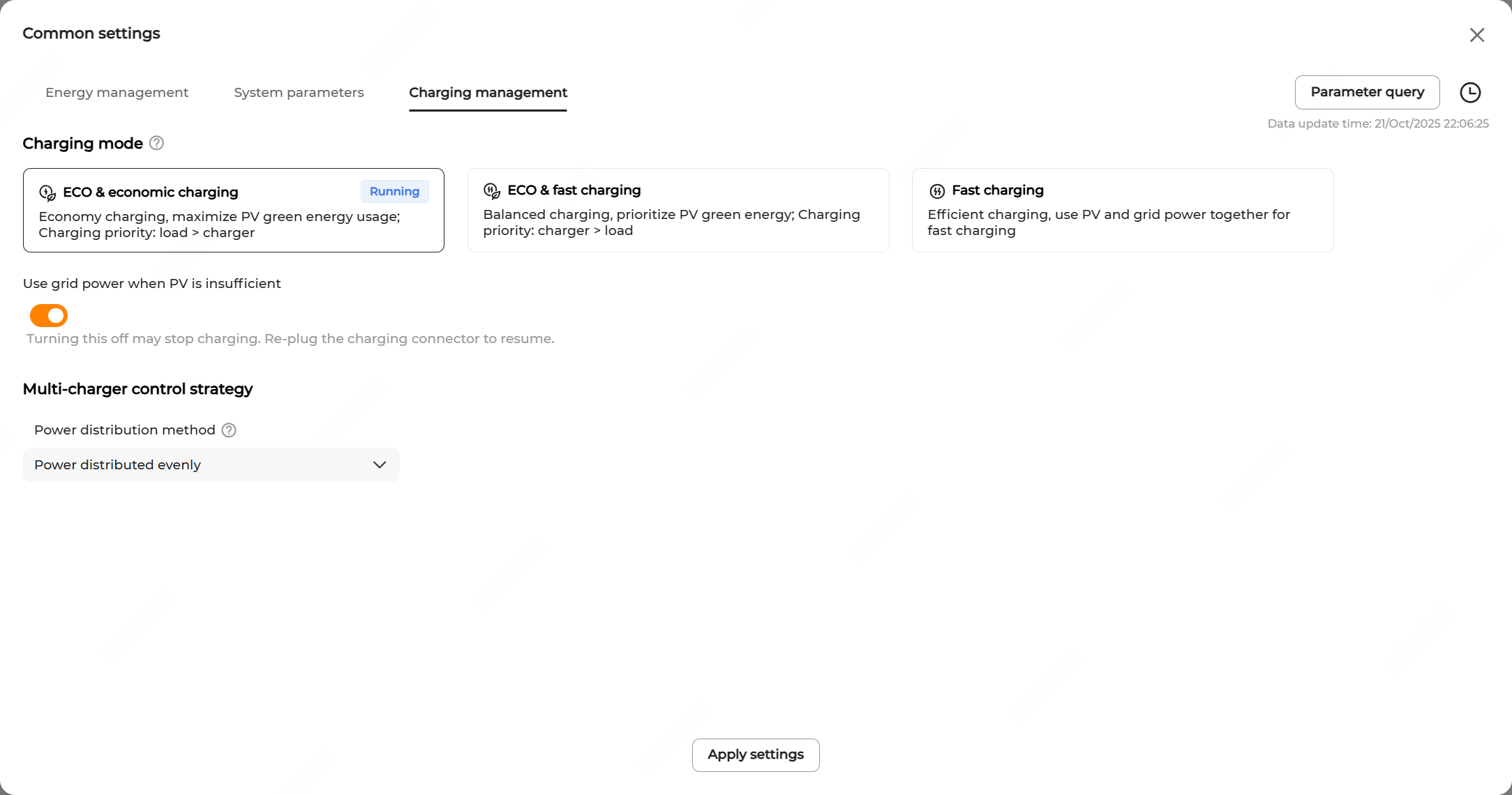
- ECO & fast charging
The EV charger maximizes the use of PV energy. If PV power exceeds the charger's minimum charging power, no additional power will be drawn from the grid. Conversely, if PV power falls short, the charger can supplement with grid power to meet the minimum charging power.

- Fast charging
The charger can use both PV energy and grid energy. In this mode, the charger operates at the rated power, delivering the exact power required by the EV.
Table1 Parameter Description Parameter Description Use grid power when PV is insufficient It is turned on by default. Turning the option off may interrupt the charging process. To resume, re-plug the charging connector. Use battery when PV is insufficient It is turned on by default. Power distribution method Decide how you want to distribute power when working with the multi-charger control strategy.
It is to allocate power across chargers based on the preset strategy to meet users' varying charging demands.
Options include:
- First come first charged: Based on the charging order and grid power limits, the system allocates power according to EV actual needs, prioritizing earlier comers.
- Power distributed evenly: Allocate charging power evenly according to the EV quantity and grid power limits.
- ECO & economic charging
- Click Apply settings.