EEBUS Protocol-Based Heat Pump
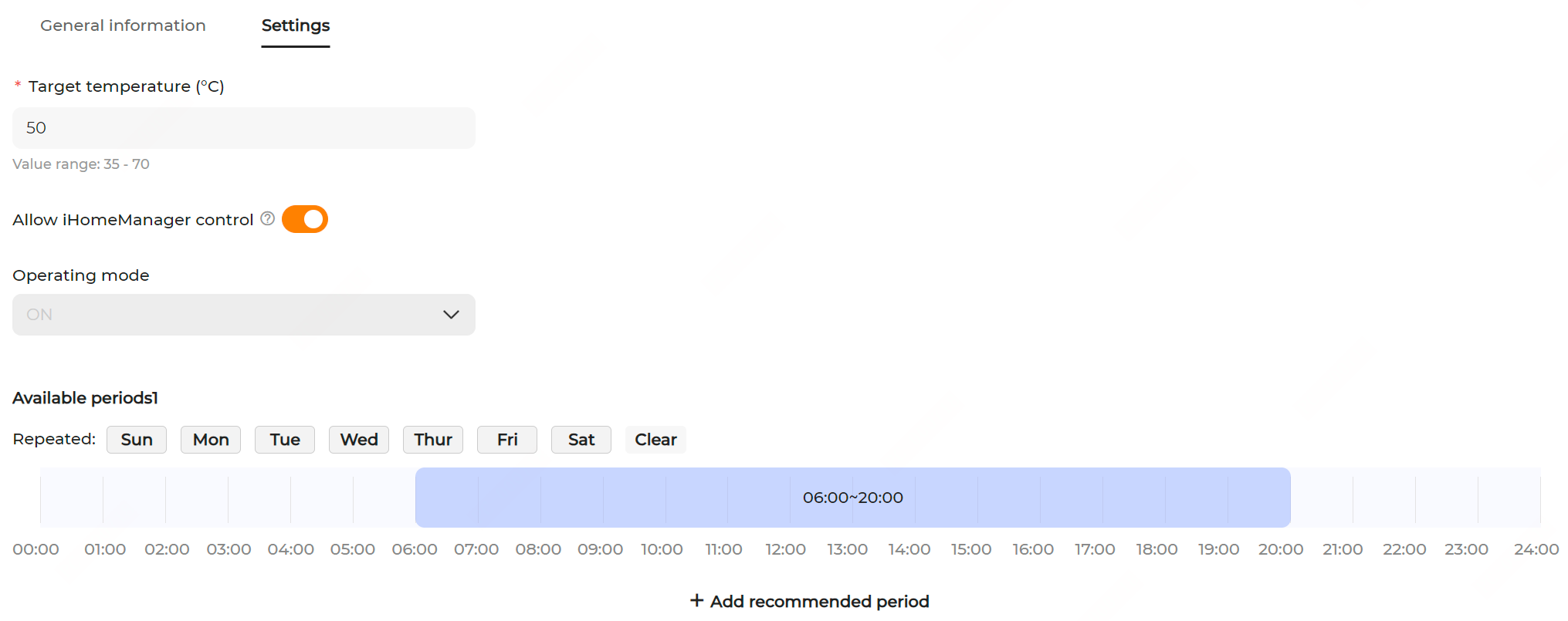
- Click the name of the EEBUS heat pump to go to the Settings page and fill in the Target temperature within the range of 35 to 70℃.
-
Select the working mode.
- OFF (default): The pump is forced to shut down.
- ON: The system automatically adjusts the temperature within the defined range, irrespective of the time periods.
- AUTO: According to the defined weekly time plan, the system only operates within the time periods and automatically adjusts the temperature to the target; otherwise, the system is forced to shut down outside the defined periods.
-
Enable/disable Allow iHomeManager control.
- When the option is enabled, under the self-consumption or AI mode, the system will automatically control the heat pump within the defined time period, and prioritize the use of the PV green energy to adjust the temperature.
- When the option is disabled (default), the system will restore the heat pump working mode to the previous mode.
After enabling the option, in the pop-up, set Rated power, select the expected time period to receive AI recommendations, and click Confirm.
-
Choose the recurrence date and drag the time bar left or right to adjust the start and end time for AI recommendations.

- Click Apply settings to complete.