Self-Consumption (European Server)
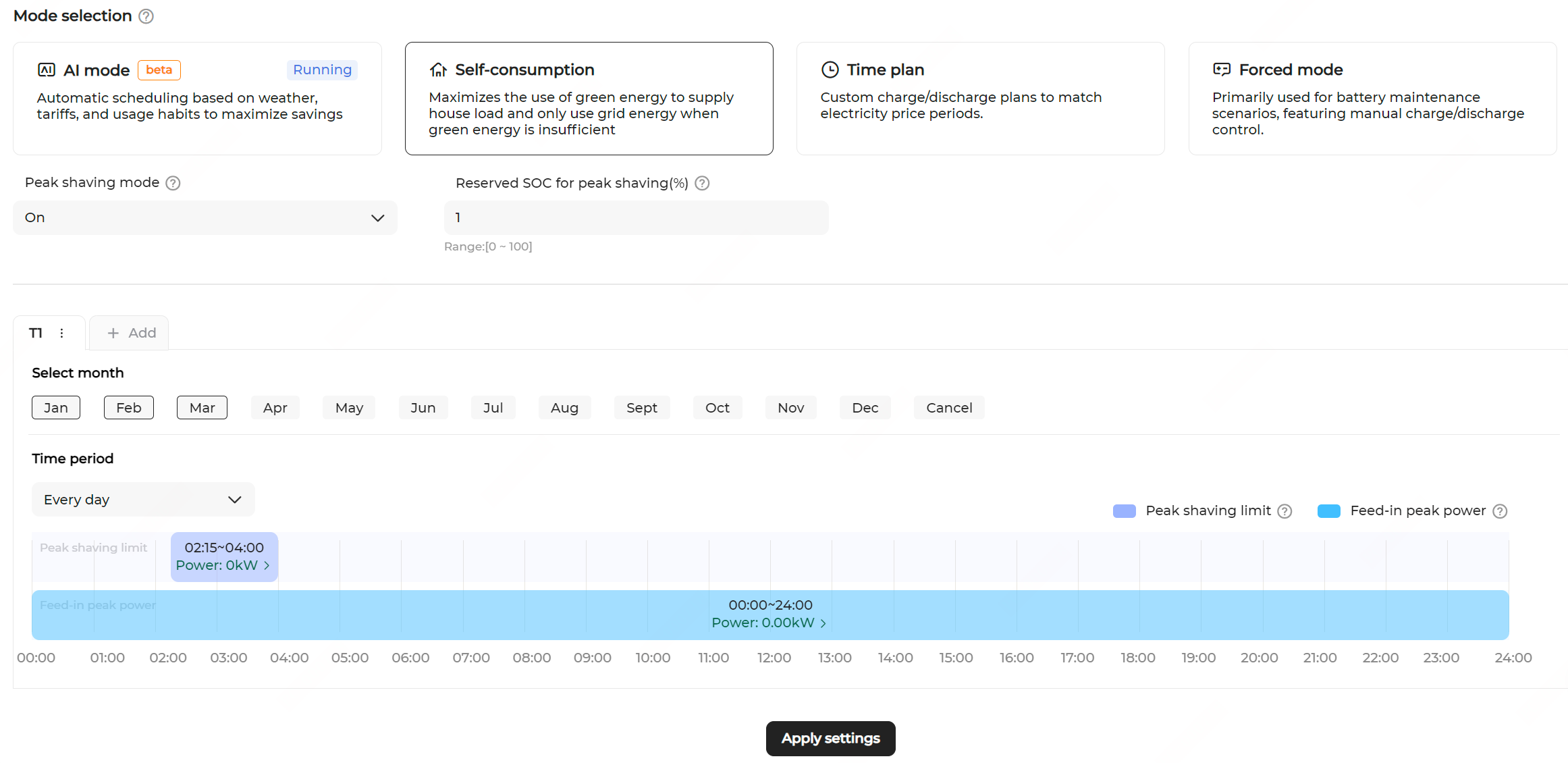
- Navigate to the Energy management page and select the Self-consumption mode.
-
Enable Peak shaving mode to adjust energy purchase and feed-in plan. Configure the following:
-
Set Reserved SOC for peak shaving (%).
- If the battery SOC is higher than this reserved threshold, the battery is discharged first to supply power to the loads.
- If the battery SOC is lower than this reserved threshold, energy is purchased from the grid. When the grid power limit is reached, the battery continues to discharge to meet the load demand.
- Configure the time periods for Feed-in peak power and Peak shaving limit. See Custom Month Span for details.
Note: If the feed-in control method is set to per-phase active power feed-in limit, the Peak shaving mode cannot be enabled. -
Set Reserved SOC for peak shaving (%).
- Click Apply settings.